Put a gate in a worker Link to heading
- Create a Turnstile widget.
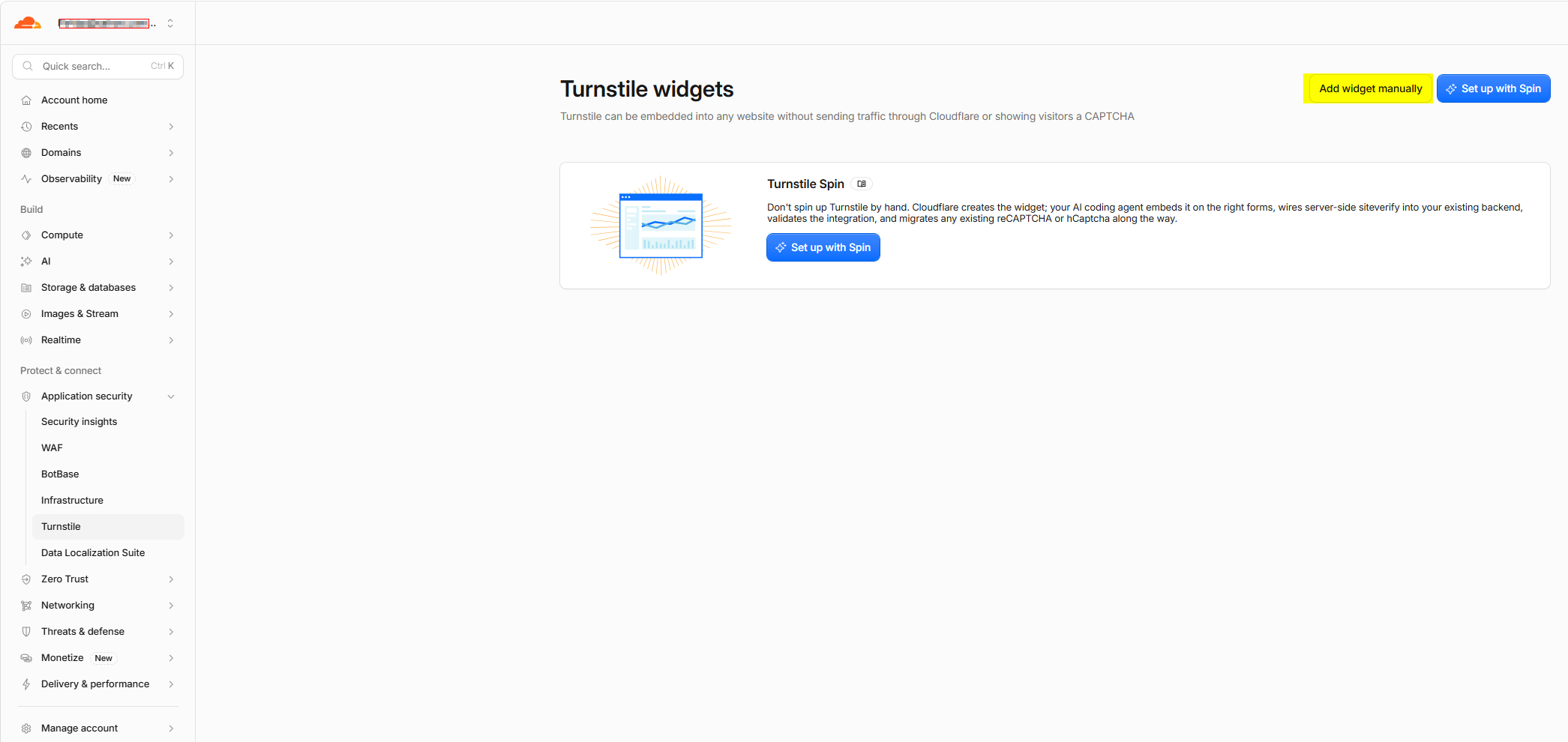 In the Cloudflare dashboard, open Turnstile → Add
 worker-captchamanually. Add forex-proxy.ps4bp.workers.dev as an allowed hostname and copy the sitekey and secret key. The sitekey is public; keep the secret private. - Store the keys as Worker variables.
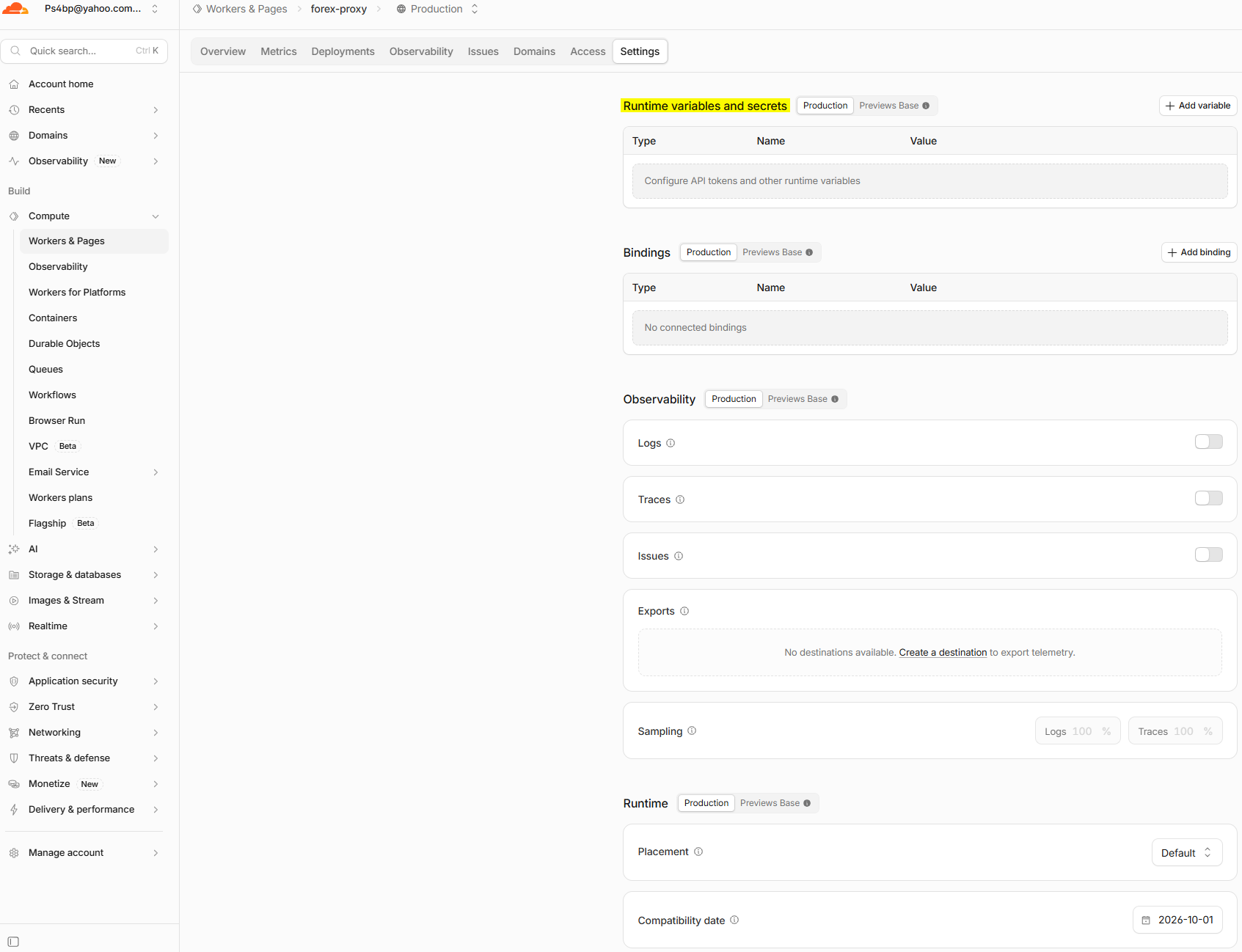 In Workers & Pages → forex-proxy → Settings → Runtime variables and Secrets, add:
TURNSTILE_SITE_KEYas a regular text variable.TURNSTILE_SECRET_KEYas a secret.
- Make the Worker handle requests before serving the page.
Have it:
- Check for a valid pass cookie on each page request.
- If there isn’t one, return a small HTML verification page containing the Turnstile widget.
- Accept the widget token at a verification endpoint and send it to https://challenges.cloudflare.com/turnstile/v0/siteverify.
- Only after Siteverify returns success: true, issue a short-lived, signed pass cookie and redirect back to /.
- Serve index.html when the cookie is valid.
- Protect every route that should be gated. If only the landing page needs protection, gate /. If API routes also need protection, gate those separately so the verification endpoint stays reachable.
- Deploy and check both paths. Test that a fresh browser sees the challenge, a successful verification reaches the page, and a request without a valid cookie cannot fetch the protected content directly.